
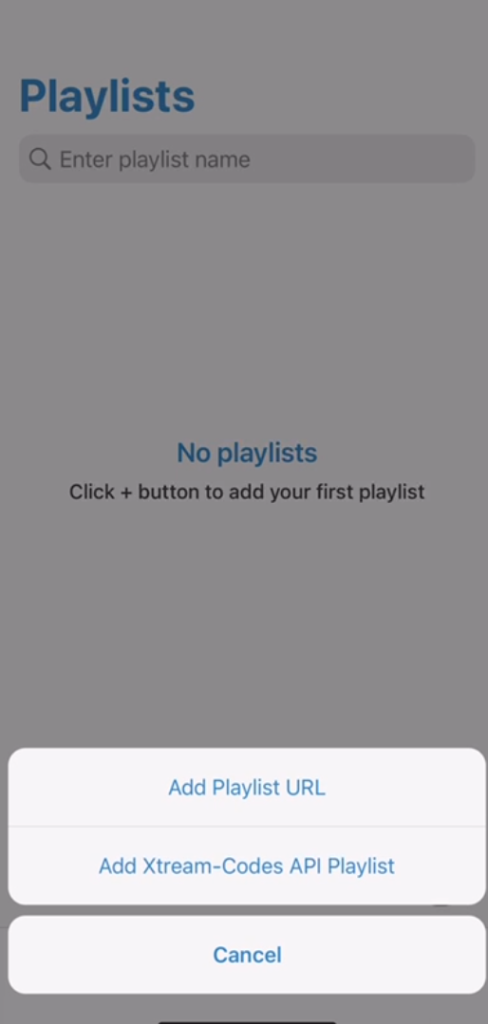
Step 1
Start the app and press the plus sign in the lower corner. Then select “Add Xtream-Codes API Playlist“.
Step 2
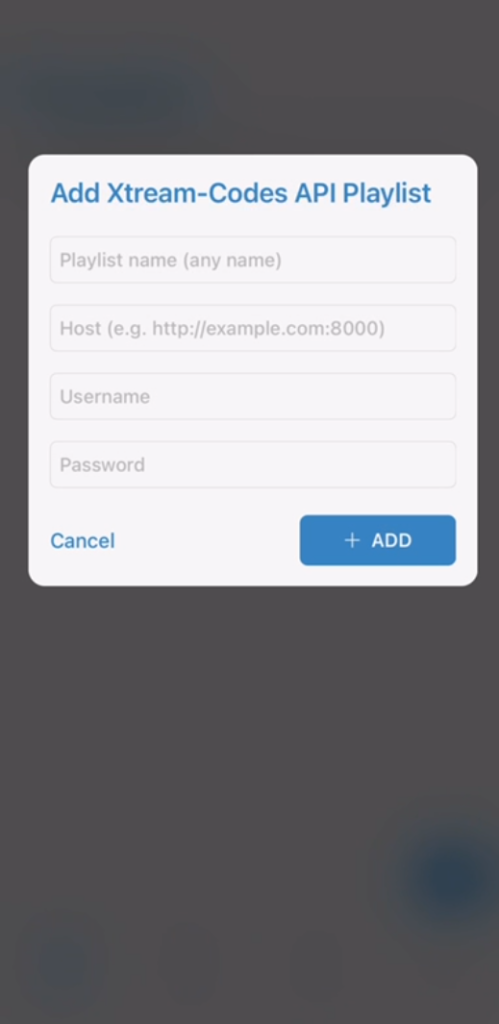
Fill in the login details you received via email.
Step 3
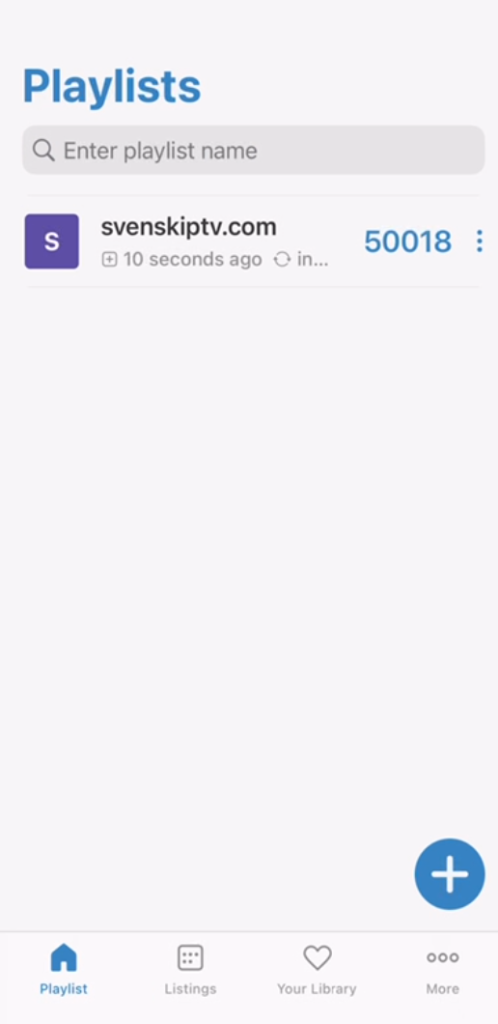
Now click on your new playlist. Done! 🙂
The app works well with Apple TV. Since you can install the World IPTV app and many other apps, Apple TV is a device that can be used for watching TV. However, we always recommend that you clear unnecessary apps that are not used and have a slightly newer model, as most IPTV lists today are very large and contain hundreds of thousands of titles such as channels, movies, series, documentaries, etc.
Usually, it takes about 5-15 minutes to get started when you first try to get the TV channels running on your Apple TV. However, if you get stuck and need help, you can always contact our support.
Now it’s time for you to request a free test from us by pressing the button. We always recommend that you buy 3-6 months after your free test to have time to test properly as our range is enormous.
Please note that our tests are only active for one hour to prevent cheating. Only request a free test if you really have time to test the channels in peace and quiet. The test is not intended to have time to watch a football match or the like, but only to get a quick insight.
You can use the following devices to watch IPTV
All questions are answered on our page where our instructions are available. Click on the respective app/device you want to read about and you will find the answers to your questions there. Here you can see our instructions.
Read the guide carefully to avoid problems with the installation, as important parts may be missed if you skip important parts.
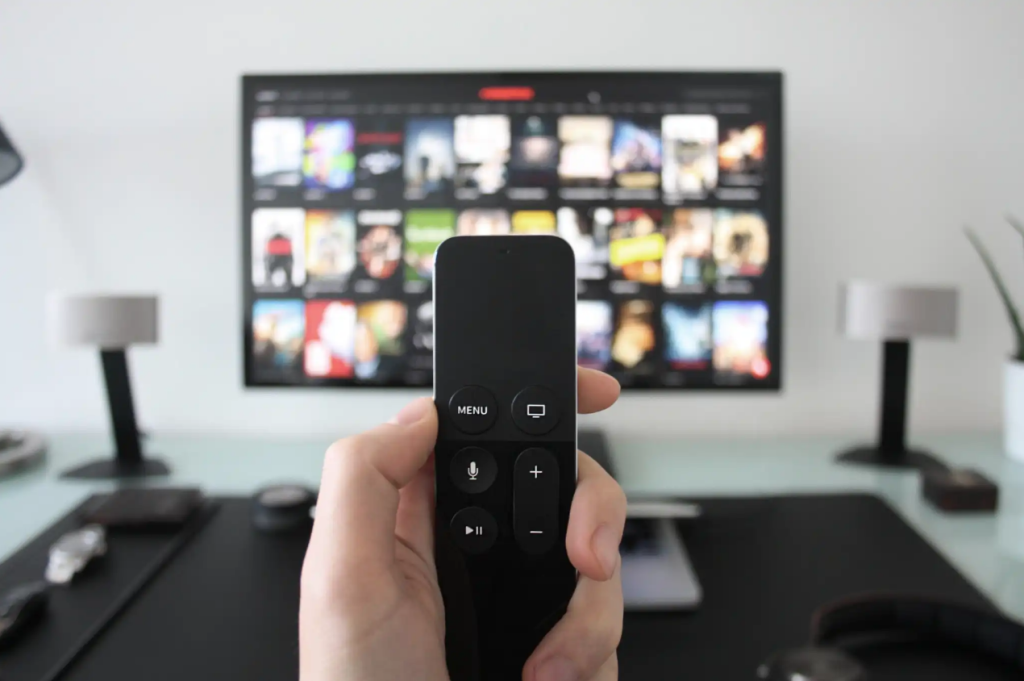
To summarize everything, we recommend that you preferably buy a new device. Then you go through the basic settings and connect the device to the network. Download the app and request a free test or buy 1-12 month packages from us.
Enjoy channels, movies, series, documentaries + all PPV events!
The Electronic Program Guide (EPG) is available on the app. On many apps, you need to manually copy and paste an EPG link (XML) that you get from us when you purchase.
However, some apps fetch EPG information when you log in with Xtreamcodes API without you having to manually add anything. If your app can only receive M3U links, you will most likely need to manually upload an xml epg link.
Most titles have subtitles automatically loaded together with the channels. If certain channels do not have subtitles, unfortunately they are not available. Most do have subtitles though. In some cases, you can upload subtitles from your own sources. However, this is not something we offer support for as our focus is on more important tasks for our customers.
If you want to know more about subtitles for your app, it is usually just a Google search away.